
Post-quantum safe · Indigenously developed
The VPN built for
the post-quantum era
QVPN protects remote users and site-to-site networks with hybrid post-quantum key exchange, designed to keep traffic captured today protected against the quantum computers of tomorrow.
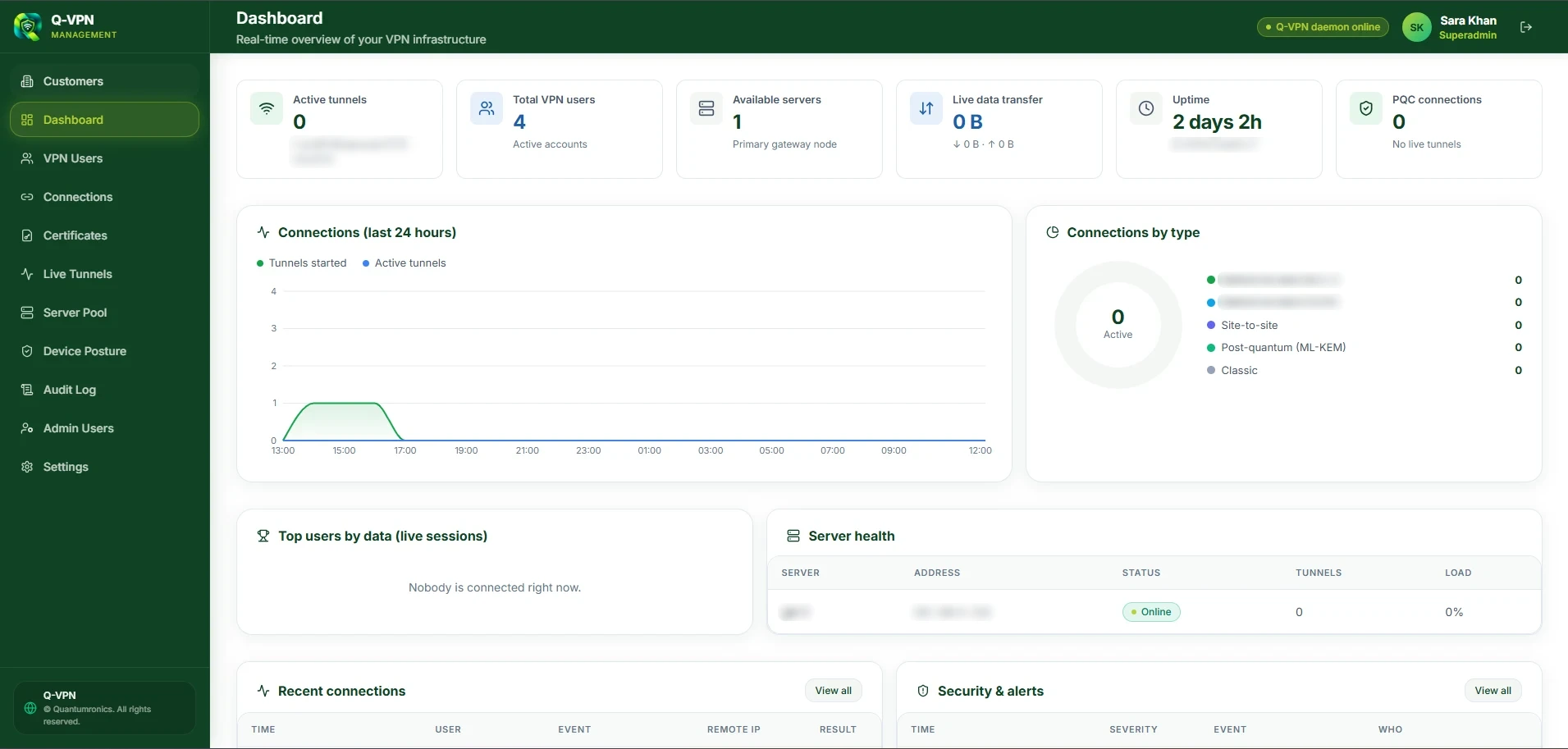
The QVPN management dashboard.
- Remote access and site-to-site
- Multi-factor authentication
- High-availability gateways
The product
See what QVPN looks like in use
A desktop client for your people, and one dashboard for your administrators. These are real screens, with sensitive details blurred.
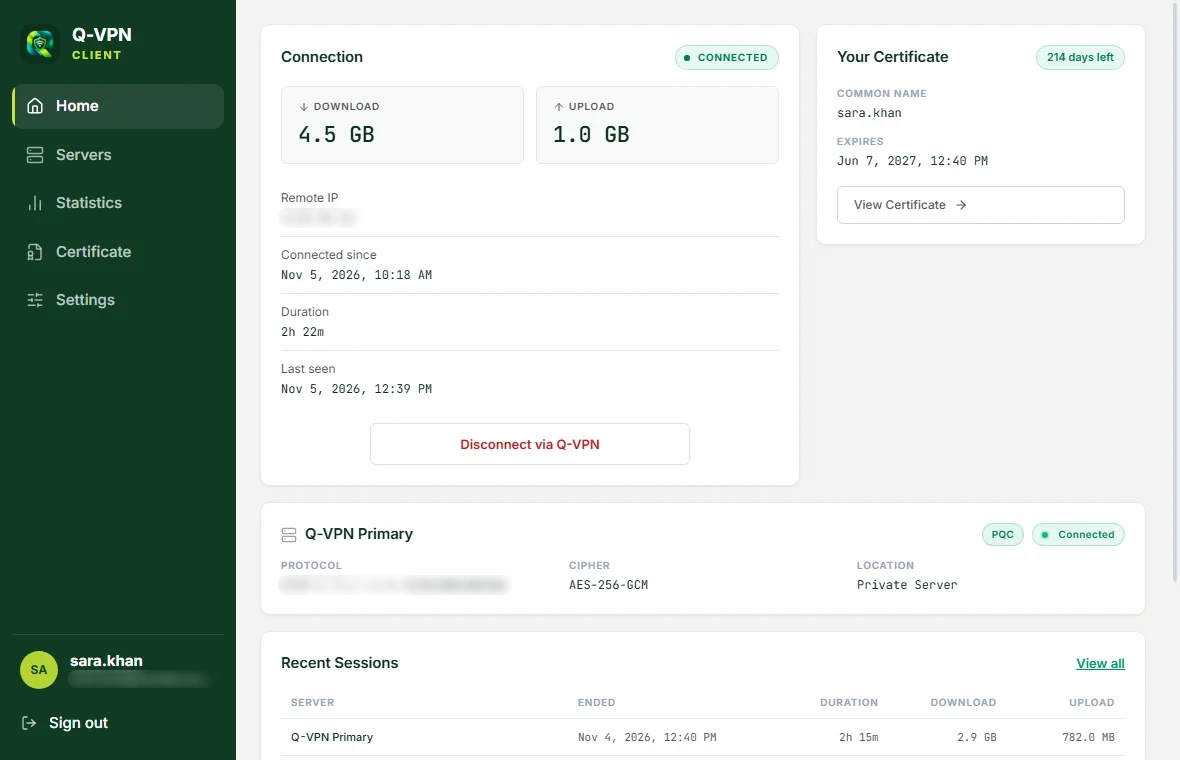
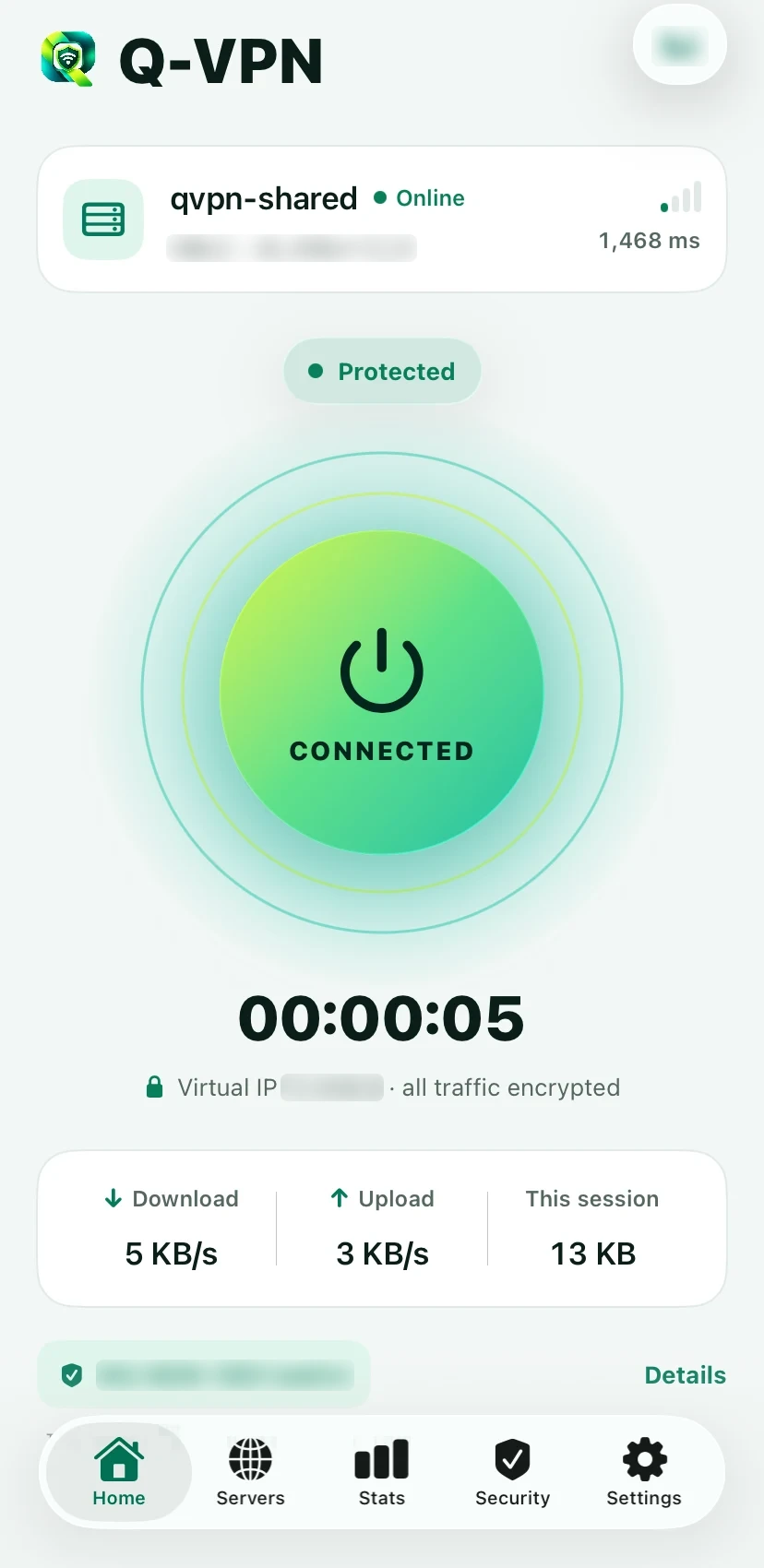
One click, and the badge tells the truth
On supported versions of Windows, the client connects with PQC-resistant key exchange, and shows what the connection is actually using.
- The PQC badge comes from a check of the real connection, not a label
- Shows the connection as classical on older Windows
- Session, usage and certificate details at a glance
- Multi-factor sign-in, with backup codes
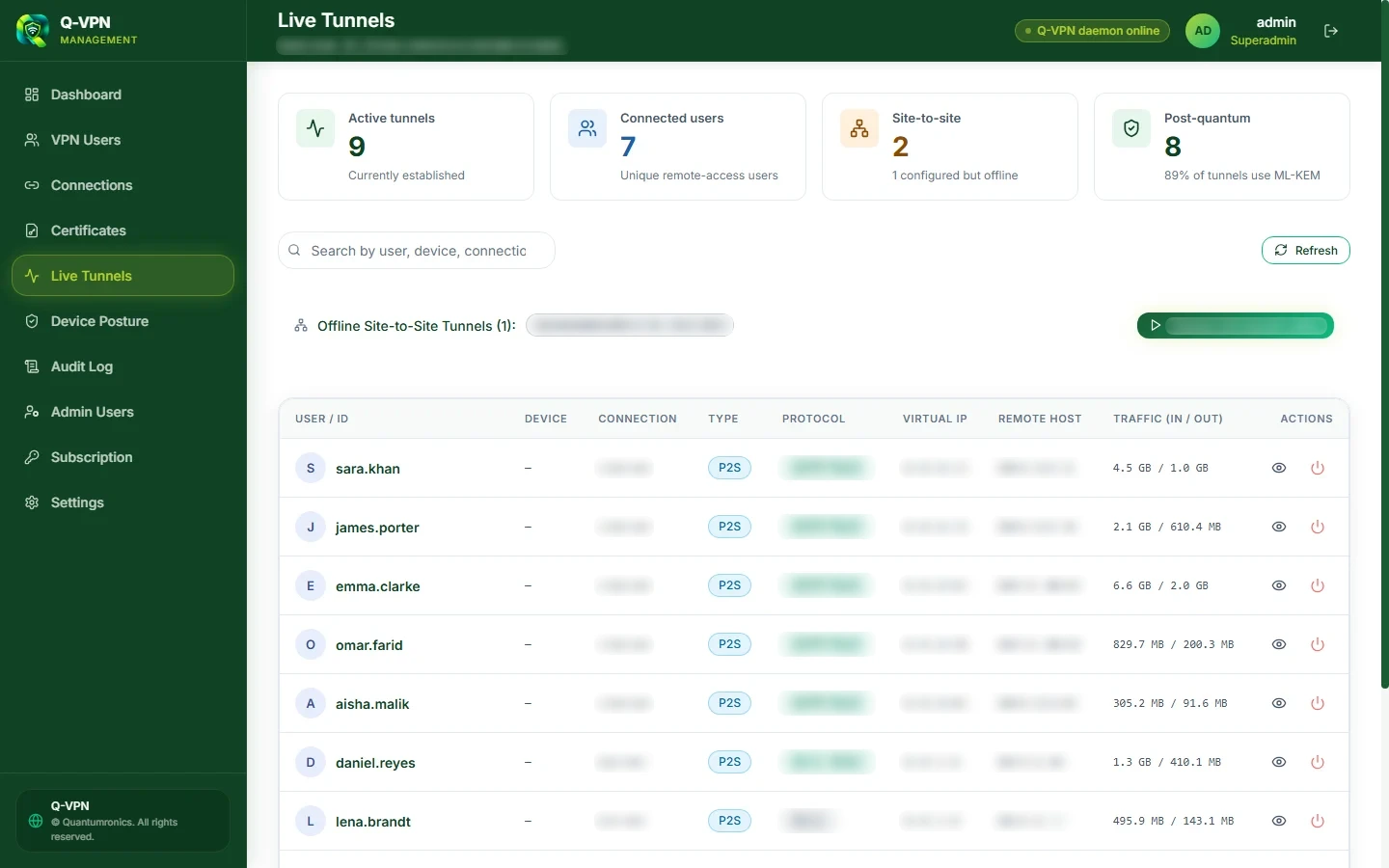
Every tunnel, as it happens
Watch sessions update live, see which ones use post-quantum key exchange, and end any of them.
- Protocol, virtual IP, remote host and traffic for each session
- A count of how many tunnels are PQC resistant
- Terminate a session from the same table
- Spot site-to-site tunnels that are offline, and reconnect them
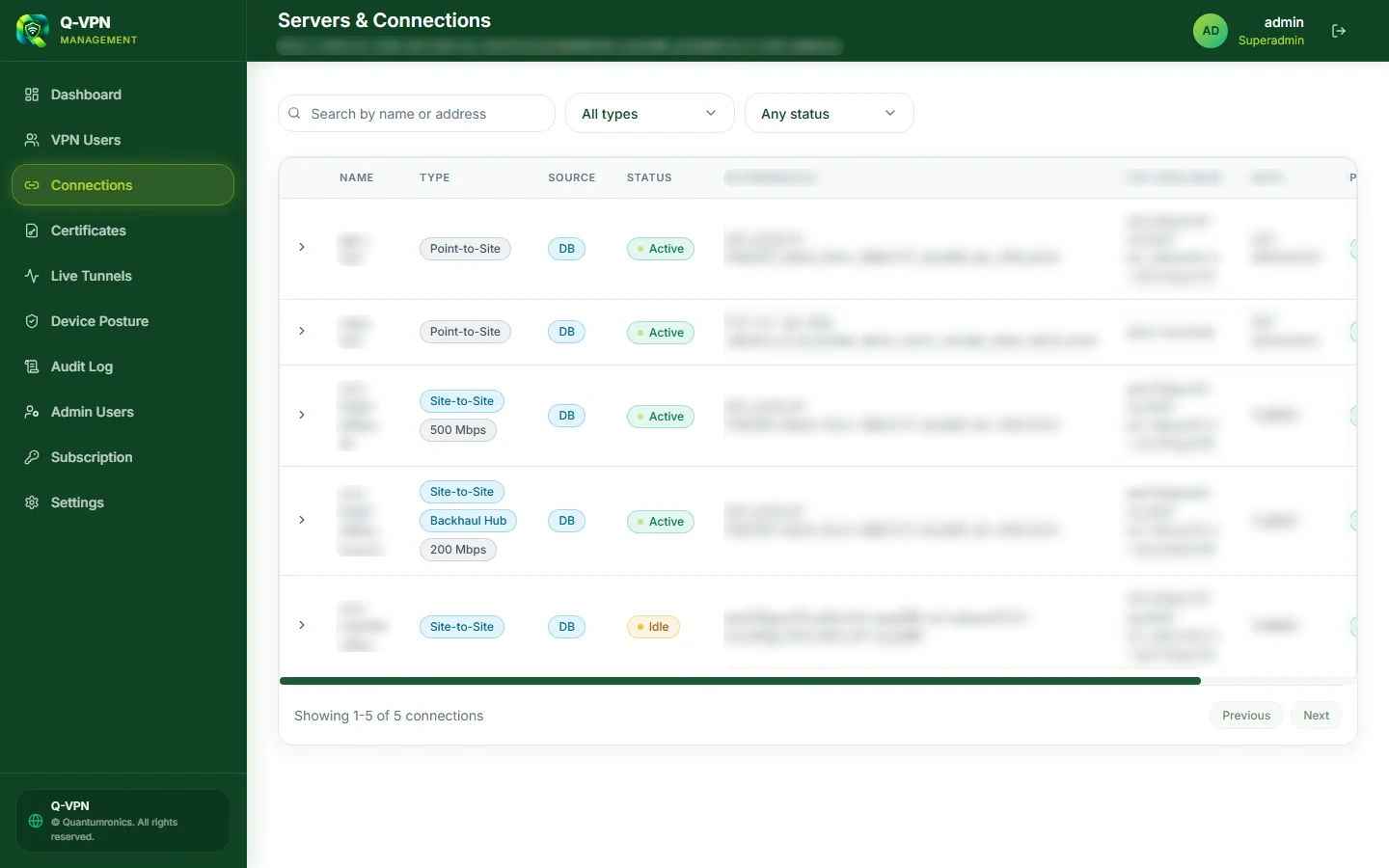
Link offices with PQC-resistant tunnels
Site-to-site tunnels combine classical and post-quantum key exchange, confirmed live on each connection.
- Mutual certificate authentication between gateways
- Split tunnel, or backhaul a site's internet through a hub
- Bandwidth limits for each tunnel
- Exchange a provisioning code to set up the other end
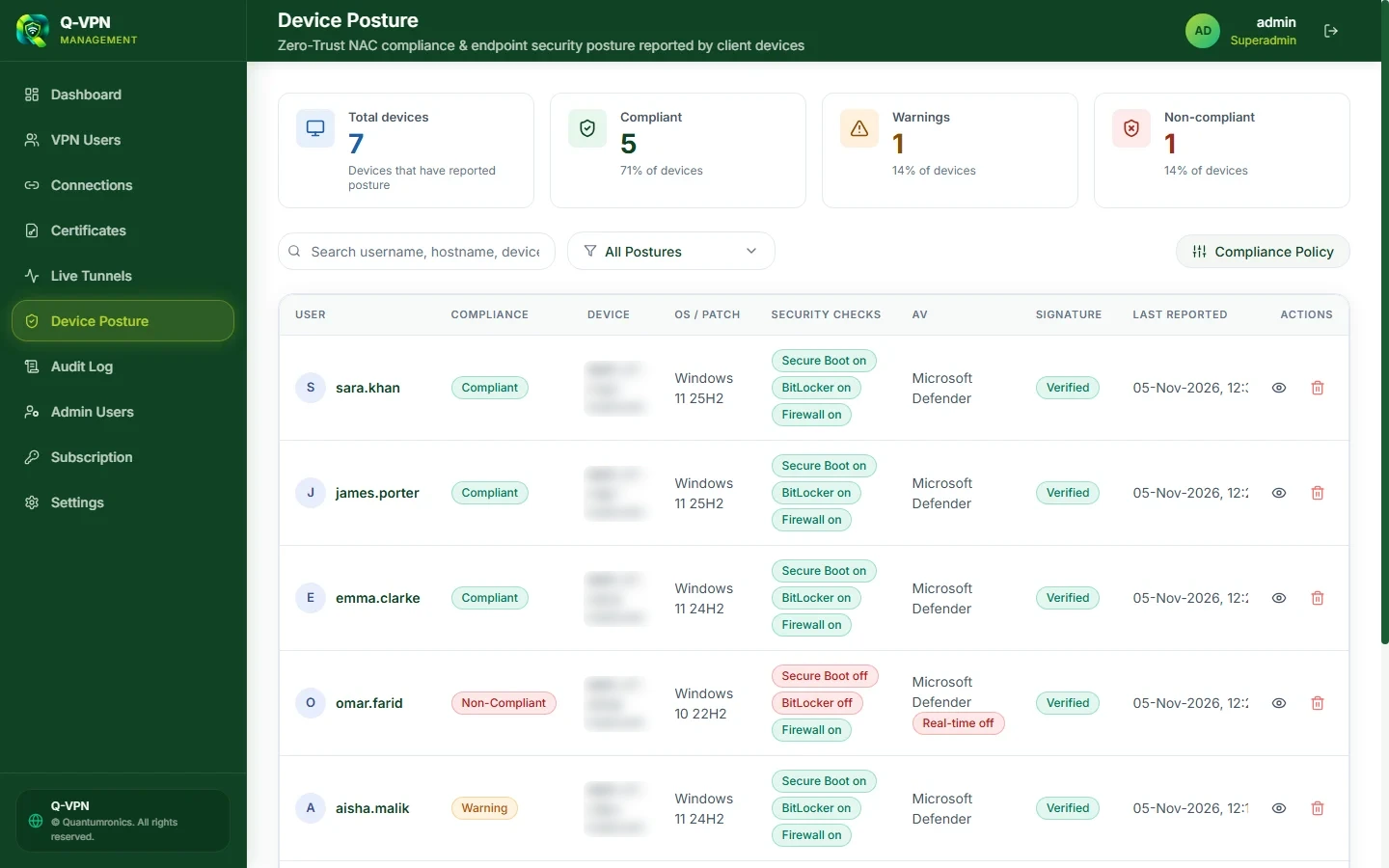
Check the device, not just the password
Clients report their security state, and your policy decides what happens next. Try a policy in audit mode before you enforce it.
- Firewall, antivirus, disk encryption, secure boot and more
- Minimum OS build, plus required or prohibited software
- Disabled, audit or enforce mode
- Simulate a policy to see who it would affect
Phones and tablets on the same gateways
iOS and Android connect to the same gateways as your desktop users. Their level of protection depends on the platform.
- iOS uses classical key exchange, as the platform's built-in VPN has no post-quantum option
- Android can use hybrid post-quantum key exchange, depending on the client version
- The same accounts and dashboard as your desktop users
Features depend on your plan, product version and administrator configuration.
Why it matters now
Your encrypted traffic can be stored today and broken later
In a harvest-now, decrypt-later attack, an adversary records encrypted traffic and keeps it until a powerful enough quantum computer can decrypt it. Data with a long secrecy life is already at risk.
- 1
HarvestEncrypted VPN traffic is intercepted and stored.
- 2
WaitThe recording sits in storage until the technology to attack it arrives.
- 3
DecryptKey exchanges that rely only on classical cryptography can then be broken.
QVPN's answer: hybrid key exchange. Classical and ML-KEM are combined, and the keys stay safe as long as either one remains unbroken.
Security
Post-quantum where it counts, and clear about where it doesn't
A VPN's post-quantum protection depends on what each platform can actually negotiate, so here it is, path by path.
| Connection | Protection | Status |
|---|---|---|
| Site-to-site | Hybrid post-quantum key exchange | PQC resistant |
| Windows client | Hybrid post-quantum key exchange | PQC resistantOn Windows 11 24H2 or later with the required Windows update. Classical on older Windows. |
| Android | Hybrid post-quantum key exchange, where the client supports it | Depends on clientRequires a client version with post-quantum support. |
| iOS | Classical key exchange | ClassicalThe platform's built-in VPN offers no post-quantum option today. |
Hybrid key exchange
ML-KEM, standardised by NIST, combined with an established classical algorithm. Security holds if either one remains unbroken.
Built on open standards
Tunnels use published, standards-based VPN protocols with AES-256-GCM encryption.
Classical on older systems
Older systems that cannot negotiate post-quantum key exchange connect using classical encryption instead.
Status you can check
The Windows client tests the connection to your gateway and reports whether post-quantum key exchange is in use.
Authentication is classical
Sign-in and gateway identity use digital certificates and passwords. Post-quantum signatures are not part of QVPN today.
Protection for stored secrets
Stored credentials and private keys are encrypted at rest with AES-256-GCM, and sign-in tokens are stored hashed.
- PQC resistant
- Hybrid key exchange
- Open standards
Technical specifications
The details your security team will ask for
| Encryption model | Hybrid key exchange (classical + post-quantum) |
|---|---|
| Post-quantum algorithm | ML-KEM, standardised by NIST in FIPS 203 |
| Classical key exchange | Elliptic-curve cryptography |
| Tunnel encryption | AES-256-GCM |
| Authentication | Digital certificates and password-based sign-in; mutual certificates between sites |
| VPN types | Remote access, site-to-site |
|---|---|
| Protocols | Standards-based VPN protocols for Windows, iOS, Android and site-to-site |
| Gateways | Managed by QuantumRonics, shared or dedicated |
| Network ports | Standard VPN ports by default; custom ports supported |
| Site-to-site modes | Split tunnel, backhaul |
| Bandwidth control | Per seat and per site-to-site tunnel |
| Administration | Web dashboard with live updates |
|---|---|
| Administrator roles | Superadmin, admin, licence admin, viewer |
| Directory | Directory sync, and sign-in through your existing directory |
| Multi-factor | Authenticator app codes, with backup codes |
| Access controls | IP binding, device (MAC) binding, static IP |
| Device posture | Disabled, audit or enforce mode, with simulation |
| High availability | Automatic gateway failover, with tunnel state kept in sync |
Availability depends on your plan, product version, client and configuration.
For administrators
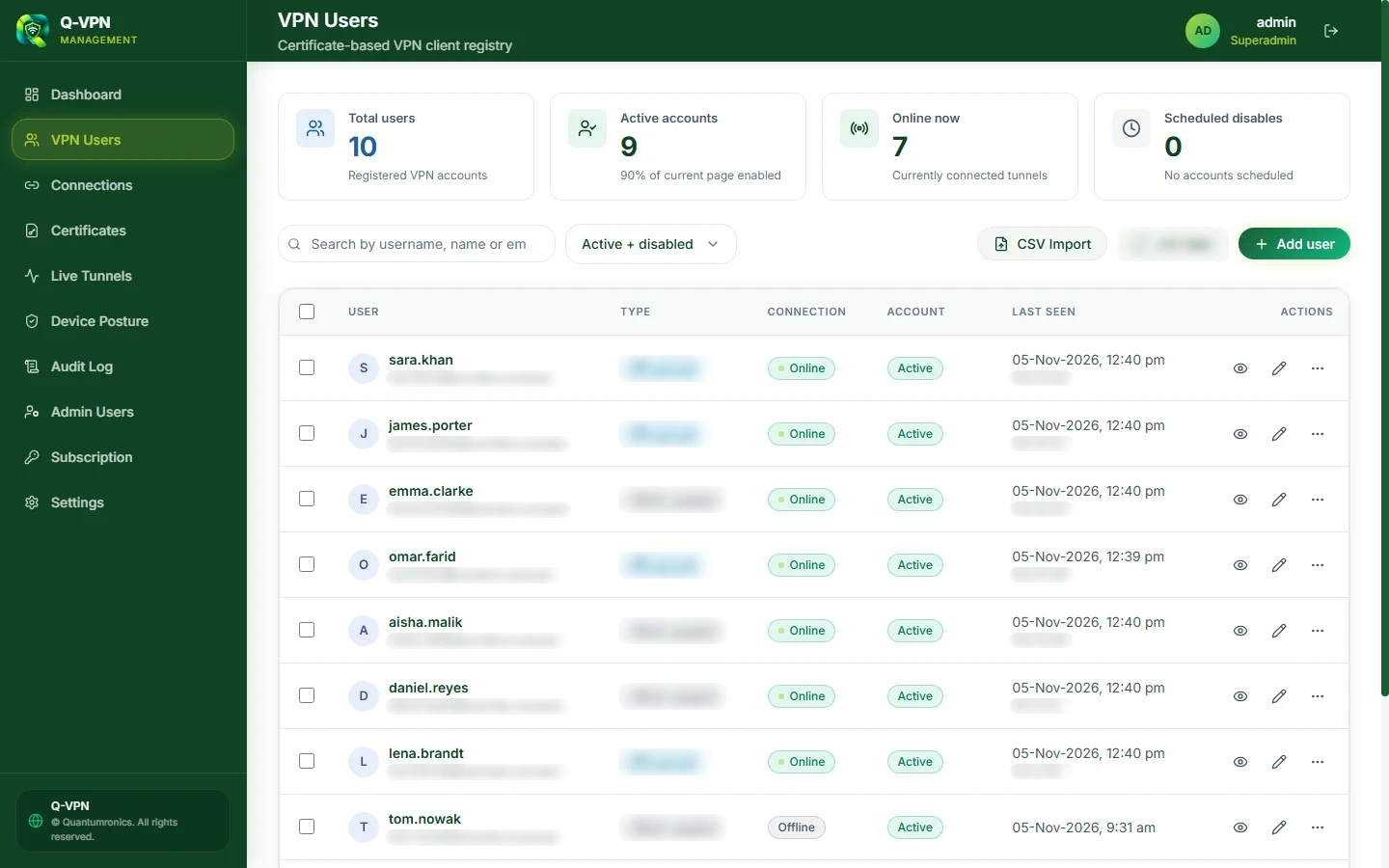
Manage every user from one place
Add people, or bring them in from the directory you already have, and decide how each one may connect.
- Create users, import a CSV file or sync from your directory
- Let people sign in with your existing directory
- Bind an account to an IP or MAC address, or require a static IP
- Schedule an account to be disabled on a set date
- Use seat and licence controls for your subscription
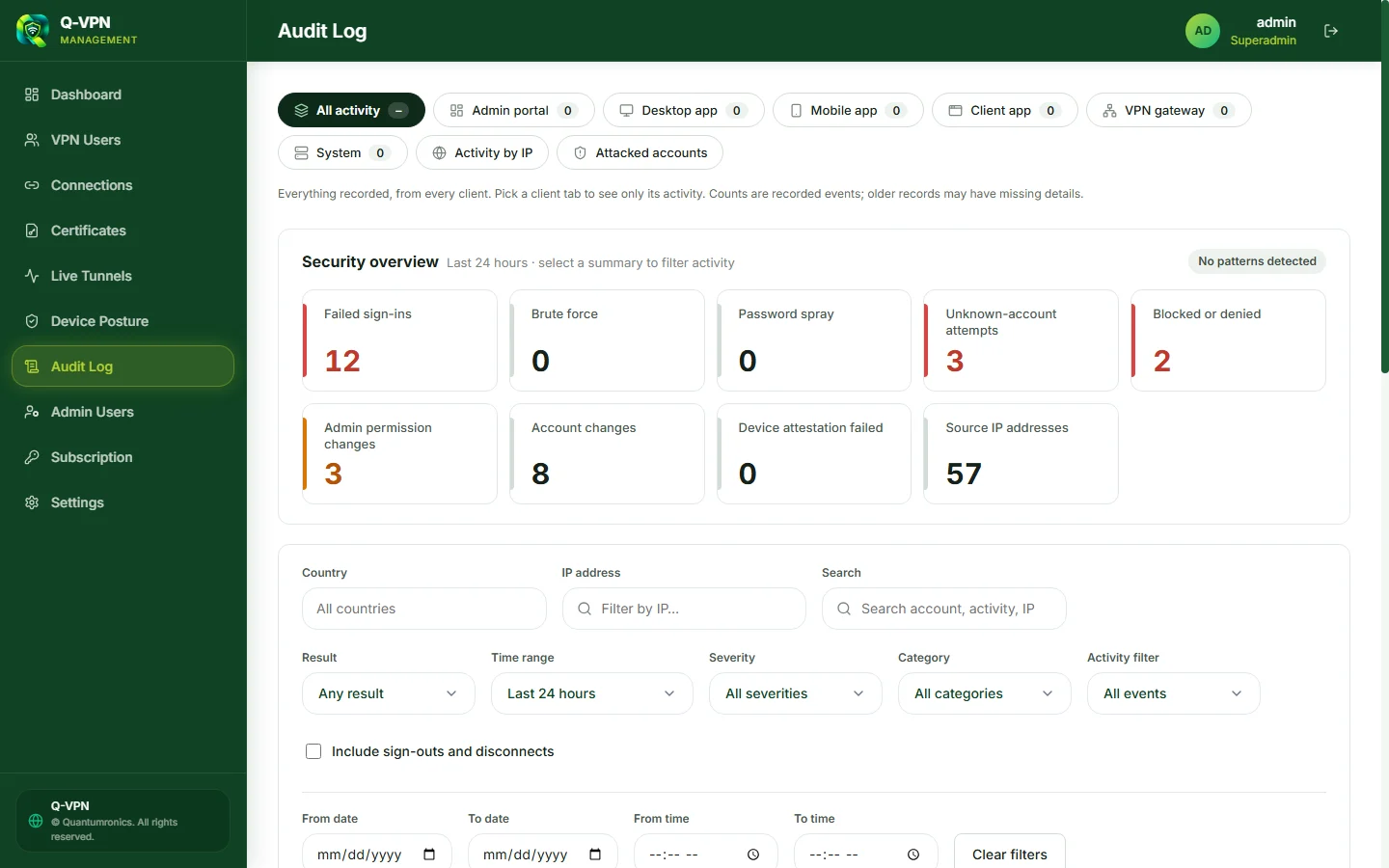
Audit log
Know who did what, and spot attacks early
Every sign-in, connection and administrative change is recorded, with the summaries you need to act on it.
- Attack patternsHighlights brute-force attempts, password spraying and unknown-account sign-ins.
- Activity by sourceFilter by admin portal, desktop app, mobile app, gateway or IP address.
- ReportsExport the log when you need to share it or keep a record.
Hosting
Hosted for you, on infrastructure sized to your organisation
QuantumRonics runs QVPN as a managed service, so your team can focus on who gets access rather than on running gateways.
- Shared nodesIndividuals and smaller organisations share a pool of gateway nodes.
- Dedicated nodeLarger organisations can have a gateway node of their own.
- Your own address rangeUse the shared address pool, or a range set aside for your organisation.
- High availabilityGateways can fail over through a shared virtual IP, with tunnel state kept in sync.


Who it is for
Ideal for organisations with data that must stay secret for years to come
-
Government
Connect departments and field offices.
-
Defence
Protect communications with a long secrecy life.
-
Telecom
Secure access to the networks people depend on.
-
Financial services
Link branches and protect sensitive traffic.
-
Critical infrastructure
Connect remote sites and operations securely.
Transparency
What QVPN records, in plain terms
A VPN needs some records to run. Here is what QVPN keeps and what it does not set out to collect.
Recorded to run the service
- Account or user association
- Source and assigned VPN IP addresses
- Connection times and session duration
- Transferred byte or packet volumes
- Protocol and event details
Historical connection events are kept for 90 days, and device-posture history for about 180 days, under the current processes.
Not intentionally recorded as a browsing-history log
- DNS queries
- Destination websites and hostnames
- Destination ports and URLs
- Browsing history
- Packet contents
Websites, DNS resolvers, network operators, your organisation and others can still observe information independently. A VPN does not guarantee anonymity.
This is a summary. Other records, including audit and web-tier logs, are covered in the QVPN Privacy Policy.
Download
Get the QVPN client
Install it, sign in with the account your administrator created, and connect. The server address is in the welcome email.
QVPN Client for Windows
- Hybrid ML-KEM key exchange on supported versions of Windows
- Installs the connection service and keeps itself up to date
- Multi-factor sign-in, with backup codes
Check your copy against the SHA-256 checksums. Need macOS, iOS or Android? Ask us.
Bring your team to QVPN
Tell us about your organisation and we will help you get connected, on shared or dedicated gateways.

About QuantumRonics
Leading the quantum shift
QVPN is developed by QuantumRonics, Pakistan's first dedicated post-quantum cybersecurity company. It was established under the Public Sector Development Programme and the Uraan Pakistan initiative, and has grown into a private limited company.
Visit quantumronics.com- OfficeOffice #107, 1st Floor, Evacuee Trust Complex, Agha Khan Road, F-5/1, Islamabad, Pakistan
- Phone051-8852888 · +92 321 9112230
- Emailinfo@quantumronics.com